
For years, engineering and design teams have measured productivity in drafting hours, revision cycles, and how fast a clash report comes back. In 2026, that measuring stick is changing. Artificial intelligence has moved well past chatbots and image generators — it is now embedded directly inside the CAD, BIM, and digital workflows that engineering firms run every day. For a multi-disciplinary outsourcing partner like Cyber Matrix Enterprises, this shift isn’t theoretical. It’s reshaping how we deliver CAD services, BIM coordination, and digital transformation projects for clients across the globe.
This article looks at where AI automation is already changing engineering work, what it means for businesses that haven’t adopted it yet, and how to think about bringing it into your own workflow without disrupting what already works.
Where AI Is Already Making an Impact
AI automation isn’t a single tool — it’s a layer that now touches nearly every stage of an engineering project, from the first sketch to final handover. A few areas stand out in 2026:
CAD & Drafting. AI-assisted drafting tools can now generate baseline 2D layouts from rough sketches or point-cloud scans, flag dimensioning errors before they reach review, and auto-populate title blocks and BOMs. This doesn’t replace the drafter — it removes the repetitive first 30% of the work so engineers can spend their time on judgment calls, not data entry.
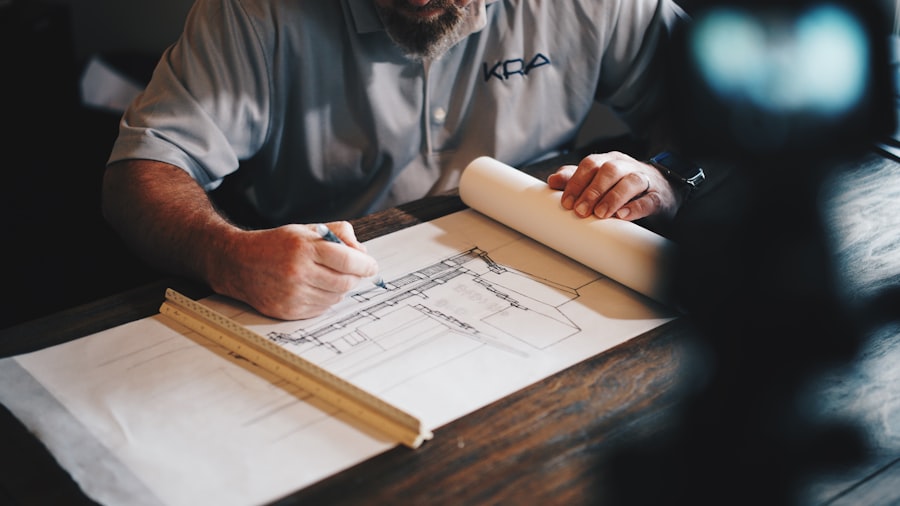
BIM Coordination. Clash detection used to mean exporting a federated model, running a batch check, and manually triaging hundreds of low-priority clashes. AI-driven BIM tools now rank clashes by real-world severity, suggest routing fixes for MEP conflicts, and can even predict where clashes are likely to occur before a discipline model is fully developed. For LOD 300–500 coordination across architecture, structure, and MEP, this cuts review cycles from days to hours.

Digital Transformation. Beyond individual drawings, AI is being used to connect previously siloed systems — project management, document control, and model data — into a single workflow. Automated status reporting, predictive scheduling, and AI-generated progress summaries mean project leads spend less time compiling updates and more time acting on them.
Data-Heavy Engineering (FEM/FEA). Simulation-heavy work like finite element modelling and analysis benefits enormously from automation that can pre-process mesh generation, flag likely convergence issues, and summarize results in plain language for non-specialist stakeholders — turning a dense report into a decision-ready summary.
Quality Assurance & Review. AI is also changing how work gets checked before it goes out the door. Automated QA passes can compare a drawing set against project standards, catch inconsistent layer naming or missing annotations, and flag deviations from a client’s CAD/BIM standard — the kind of review that used to eat up a senior engineer’s afternoon. That time now goes into the checks that actually need human judgment.
What This Means for Your Business
The practical takeaway isn’t “replace your engineers with AI.” It’s that the firms pulling ahead in 2026 are the ones using AI to remove low-value repetitive work — so the same team can take on more projects, turn around revisions faster, and catch costly errors earlier in the process, when they’re cheap to fix instead of expensive to rework on site.
This is exactly where Cyber Matrix’s own service lines have evolved. Our AI Automation services — including AI chatbots, AI agents, and voice assistants — are built to sit alongside our CAD and BIM delivery teams, not replace them. A chatbot that pre-qualifies a client’s project scope, an AI agent that triages incoming RFIs, or an automated workflow that routes drawing approvals to the right reviewer — these are small changes individually, but they compound across a project timeline. For clients already working with us on 2D–3D conversion, structural BIM, or digital transformation, adding an automation layer is often a natural next step rather than a separate initiative.
If you’re evaluating where to start, the honest advice is: begin with the workflow that has the most repetitive manual steps and the clearest success metric — drawing QA, clash triage, or status reporting are usually good first candidates. You don’t need to automate everything at once to see a return.
Ready to Modernize Your Engineering Workflow?
Whether you’re looking to streamline CAD production, tighten up BIM coordination, or explore where AI automation fits into your existing processes, our team can help you figure out what’s worth automating first — and what should stay exactly as it is. Get in touch to talk through your project.
